
Step-by-Step Guide: Creating the Perfect Digital Menu
A practical walkthrough on organizing categories, writing descriptions, and selecting the right pricing strategy for maximum impact.
Create the perfect digital menu by organizing categories in a natural dining flow, writing compelling descriptions with sensory language, applying pricing psychology techniques, and using visual cues like photos and badges to guide customer attention toward high-margin items.
1. Structure is the Foundation
Before you add a single dish, think about the journey you want customers to take through your menu. Don't just list items randomly – group them logically in a way that guides the ordering experience.
The Ideal Menu Flow
Most successful restaurant menus follow a natural dining progression:
- Starters & Appetizers: Light dishes that kick off the meal
- Soups & Salads: Complementary options that pair with mains
- Main Courses: Your star dishes, the heart of your menu
- Sides: Accompaniments that enhance the main experience
- Desserts: Sweet endings that leave lasting impressions
- Beverages: Drinks organized from light to bold
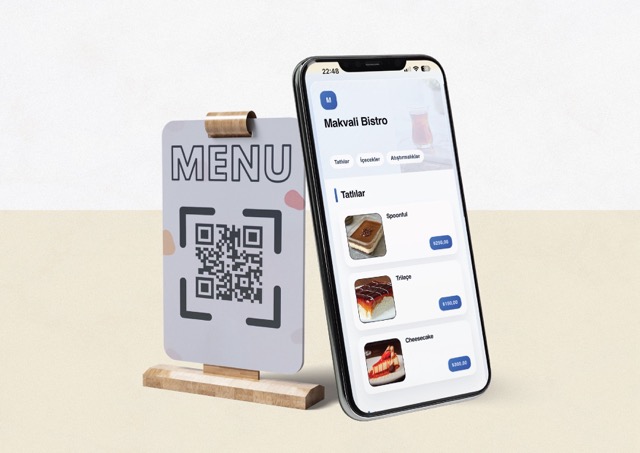
With Makvali's drag-and-drop editor, you can easily arrange and rearrange these categories until the flow feels natural.
2. The Art of Menu Descriptions
This is where many restaurants miss huge opportunities. Compare these two descriptions:
Basic: "Burger - Beef patty with cheese"
Compelling: "Signature Angus Burger - 200g of prime, grass-fed Angus beef, hand-formed and grilled to perfection. Topped with aged Irish cheddar, caramelized onions, and our house-made truffle aioli on a toasted brioche bun."
The difference in appeal is obvious. Here's the formula for great menu descriptions:
- Lead with origin or quality: "Farm-fresh", "Local", "Imported", "House-made"
- Include sensory words: "Crispy", "Tender", "Smoky", "Creamy"
- Mention cooking method: "Slow-roasted", "Pan-seared", "Wood-fired"
- Highlight unique ingredients: Truffle, aged cheese, heirloom tomatoes
3. Pricing Psychology
How you present prices affects purchasing behavior more than the prices themselves:
Remove Currency Symbols
Studies show that menus without ₺ or $ symbols see 8.15% higher spending. The numbers feel less like "money leaving your wallet" and more like just numbers.
Use Anchor Pricing
Place a premium item at the top of each category. Even if few people order it, it makes everything below seem more reasonable by comparison.
Avoid Price Columns
When prices are aligned in a neat column, customers can easily compare and choose the cheapest option. Embed prices naturally at the end of descriptions instead.
4. Visual Hierarchy
Not all menu items are created equal. Use visual cues to guide attention:
- Feature photos for 3-5 signature dishes per category
- Add badges like "Chef's Choice" or "Popular" to high-margin items
- Use subtle highlighting for items you want to promote
Ready to Create Your Menu?
With these principles in mind, you're ready to create a menu that not only looks beautiful but actively drives sales. Start with Makvali today and put these strategies into practice!
Related guides
- How to Create a Free QR Menu — Step-by-step QR menu setup guide
- How Menu Images Should Look — Tips for improving image quality